Lower your licensing costs and keep working in DWG. Create drawings, edit plans and prepare documentation with commands you already know from AutoCAD and other drafting tools.

nanoCAD 26
A familiar alternative to AutoCAD
Precision 2D drafting
Work directly in DWG
Dimensions, notes and tables
Control geometry with constraints
Drawing views and sections
Design and review in 3D
Work with laser scans
Turn scans into editable drawings
Map and model terrain
Architectural and construction drawings
Mechanical design and calculations


- Native DWGOpen, edit and save DWG drawings
- nanoCAD Free2D drafting for noncommercial projects
- Full 30-day trialnanoCAD 26 with every module
- Local support in MexicoSales, quotes and technical support in Spanish
CAD tools by discipline
Find the right nanoCAD tools for your work
Keep working in DWG format and choose the drafting and modeling tools your projects call for.
nanoCAD 2D
Draft and edit 2D drawings in DWG format.
nanoCAD Pro 3D
2D drafting and parametric 3D modeling.
nanoCAD Mechanica
Mechanical design, engineering calculations and standard parts.
nanoCAD Construction
Architectural drawings and construction documents.
Raster module
Edit scanned drawings and convert them to vector geometry.
Topoplan module
Build terrain models, generate contours and profiles, and calculate volumes.
Prices are in USD for a one-year, single-user subscription and include Mexican VAT.
Switching to nanoCAD
Keep your drawings and lower your CAD costs
Open and edit your existing DWG files, use familiar drafting commands, and send clients drawings in the same format.
Keep working in DWG
Exchange drawings with clients and colleagues.
Familiar CAD controls
Use the ribbon, menus and command line you already know.
Choose the tools your projects need
Add tools for 3D modeling, mechanical design, construction, raster editing or surveying.

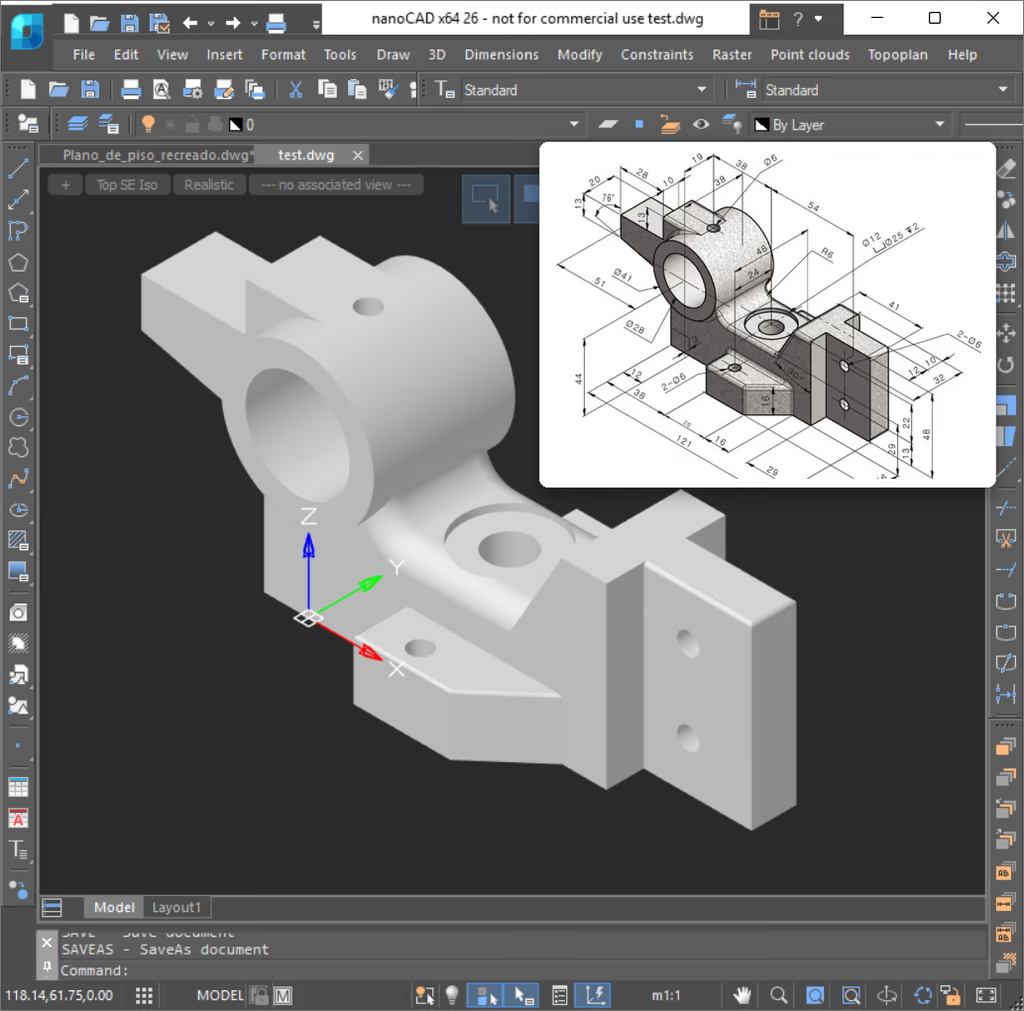
nanoCAD MCP
Connect your AI assistant to nanoCAD
Ask Codex or Claude Desktop to turn a sketch into a part or revise an open drawing. Check the result in nanoCAD and keep editing with the tools you already use.
Customer reviews
Why designers and engineers choose nanoCAD
Users cite the price, DWG compatibility and familiar drafting tools.
Mexico
“I chose nanoCAD for its price, interface and commands.”
United States
Dennis started with the free version and liked it enough to upgrade.
Canada
“We switched from Autodesk to nanoCAD because it is easy to use and more cost-effective.”
Jaime’s review was translated from Spanish. Dennis’s review is summarized here.
Try it on your own project
Two ways to try nanoCAD
Choose the free 2D edition or try the current version with all modules for 30 days.
For noncommercial drafting
nanoCAD Free
Draft in 2D with version 5. Registration and annual renewal are free.
nanoCAD v52D draftingDWG 2013 and earlier
Explore nanoCAD Free
The full toolset
Free 30-day trial
Try nanoCAD 26 with every module on a project of your own.
Current versionAll modules64-bit Windows
Start your free trial
Authorized distributor
nanoCAD sales and support in Mexico
Our team can help you choose a license, place an order and activate nanoCAD.
Product advice
Find the modules your project calls for.
Orders and quotes
Pay online or request a quote for payment by SPEI, Mexico’s bank transfer system.
Mexican tax invoices
Prices include Mexican VAT (IVA). You can request a CFDI tax invoice.
Installation and support
Get help in Spanish with installation and setup.
Buyer’s guide