Does designing a knife on a computer make it any less handmade? It’s a question that comes up often in a custom workshop.
Walk into a knife shop years ago and you’d see patterns hanging from hooks all around the room.
You may still see pieces hanging in a shop today. Many arrive already cut by laser or waterjet.
Makers have adopted new technology to save time, keep their work consistent and work to tighter tolerances. Their customers see the difference in the finished product.
From a sketch to a digital drawing
Here’s how I think about the different approaches.
-
Freehand, without a drawing. The steel suggests the shape, and each piece is different.
-
A hand-drawn design on paper. It’s quick and gives decent results, though they can be hard to reproduce.
-
A reusable template gives good, fairly consistent results.
-
Computer-aided design (CAD) makes designs repeatable. It takes time to learn the software.
-
Computer-aided manufacturing (CAM) offers close tolerances and repeatable results. There’s a learning curve here, too.
CAD software
Drawing software lets you develop a design on screen. Programs with 3D tools also let you see the shape from different angles.
There are free and paid tools for different budgets. You can learn a great deal by starting with one and seeing where its limits are.
Here are some of the programs makers use.
Inkscape: Free. Inkscape is an open-source vector graphics editor.
nanoCAD: Free and paid editions. A lightweight 2D drafting application.
SketchUp: Free. SketchUp is a 3D modeling program with simple tools that are easy to pick up.
Knife Print: Free and paid plans. A browser-based CAD service developed specifically for knifemakers.
LibreCAD: Free. An open-source 2D CAD application.
AutoCAD LT: Paid. Create, edit, annotate and document 2D drawings.
Autodesk Fusion 360: Autodesk offered Fusion 360 free for eligible individuals working on personal, noncommercial projects.
FreeCAD: An open-source parametric 3D modeler for real-world objects.
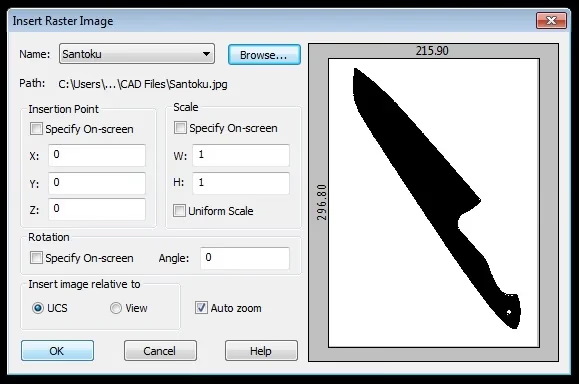
I use nanoCAD for my drawings. After years of watching my father work in AutoCAD, the interface feels familiar. If I want his help or need to compare drawings, we can send files back and forth.
Original article in English: https://www.tophamknifeco.com/best-knife-design-cad-software-for-knifemakers/


